


Nora VPN – Fast & Secure VPN
4.022.00 Reviews
App Specs
- Version
- 115.0.0
- Updated On
- License
- Free
- Downloads
- 1,000,000+
- Developer
- Irma
- Categories
- Tools
- Platform
- Android
Screenshots
 Analysis by AppCompare
I look at a VPN differently from a casual utility: it sits between my device and the internet, so convenience is only part of the decision. Nora VPN is a free Android tools app from Irma, aimed at people who want a straightforward way to connect without creating an account. That low-friction approach is appealing, especially when I need a VPN for an occasional task rather than as a permanent, carefully configured part of my network setup.
My view is cautiously practical. Nora VPN may suit someone who values a simple starting point, but a VPN should not earn trust just because its connection is easy to switch on. I would treat it as a useful option to evaluate, not as a substitute for checking how a VPN handles data or deciding whether a particular connection is appropriate for sensitive activity.
Convenience is not the same as trust
I find it useful to separate the convenience of getting connected from the harder question of whether a VPN fits the activity I have in mind. In the next section, I focus on the choices I can make on my device and in the app, because those visible controls are a practical starting point for using any VPN deliberately.
A simple entry point for Android users
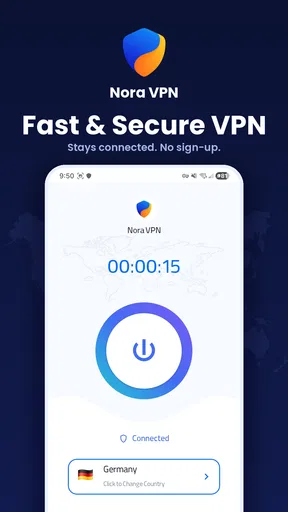
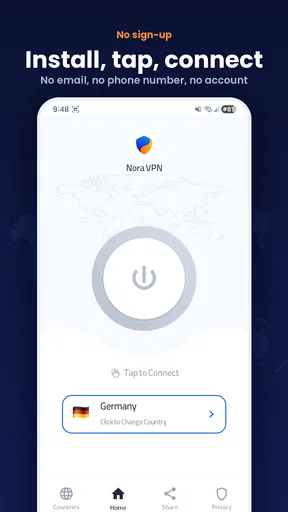
The app’s promise is clear: connect without signing up and avoid a complicated setup. In everyday use, that can matter more than a long list of technical switches. If I am on a shared network and want to add a VPN connection before browsing, I would rather begin with a direct workflow than spend time creating an account and working through a maze of settings.
Nora VPN’s presentation is best understood as an accessible utility, not a specialist security toolkit. The audience numbers are substantial for an app of this kind: it has more than a million installs, and its average rating is 4.0 from around 16,000 ratings. Those figures suggest that many people have tried it, but popularity is not proof of privacy quality. I would use them as context for reach, not as a verdict on how the service treats traffic.
The app is free and rated for Everyone. That makes it easy to try, but free access does not tell me how a VPN is funded or what data practices apply. For a privacy tool, I want to make that distinction explicit: a simple download is a convenience, while confidence depends on the service’s privacy information and the choices it gives me.
What no-sign-up access changes
Not being asked to create an account removes one source of friction. It can also make a quick trial feel less like a commitment: I can see whether the app fits my routine without setting up credentials first. That is useful for someone who only occasionally needs a VPN, or who does not want another account to manage.
Worth Reading Before You Choose

Switching to Android Auto Means Rethinking Your Driving Routine

Google Calendar Makes a Crowded Week Easier to Manage

Baby Panda World Brings Quick Play to Modern Phones, but Its Game Library Feels Busy

ESPN’s Live Game View Makes Following Close Games Easier

QuizzLand Review: A Good Fit for Short Trivia Breaks, Not Every Player

Basketball Stars: Multiplayer Is Fast, but Can It Recover When Matches Go Wrong?
At the same time, no sign-up should not be read as “no data is handled.” A VPN still needs to establish a connection, and privacy questions concern the service as well as the account screen. Before using it for anything sensitive, I would look at the permissions Android presents, the privacy information available for the app, and the choices shown in its own settings. I would not infer a logging policy from the absence of an account prompt.
That distinction is particularly important when the activity itself is confidential. For ordinary browsing on a network I do not control, a basic VPN may be an acceptable extra layer for some users. For work accounts, financial tasks, health information, or anything where the consequences of exposure are high, I would first choose a provider whose data practices and security details I can assess with confidence.
Check the choices Android actually shows
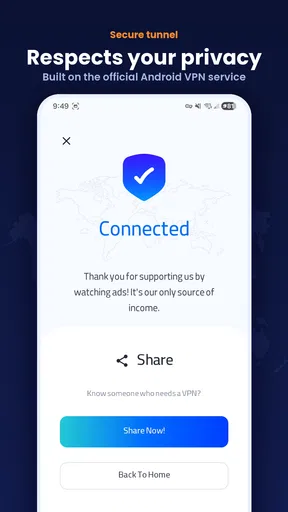
A VPN on Android generally requires the system to approve a VPN connection, and the device may show a connection request or persistent VPN indicator. I would read those prompts rather than tapping through automatically. They help me understand when the app is active, and they give me a practical moment to stop if the request or wording does not match what I expected.
I would also check the permission prompts that appear on my own device instead of assuming the app needs broad access. The useful question is not simply whether a permission is present, but whether I understand why it is being requested and whether I am comfortable granting it. If a prompt seems unrelated to connecting, I would pause and inspect the app’s explanation before proceeding.
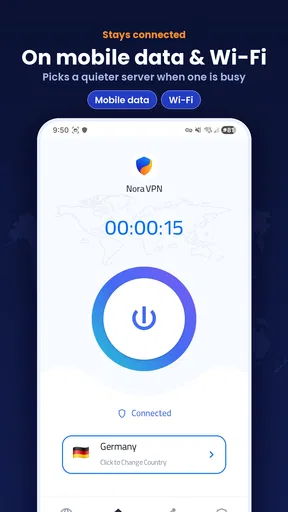
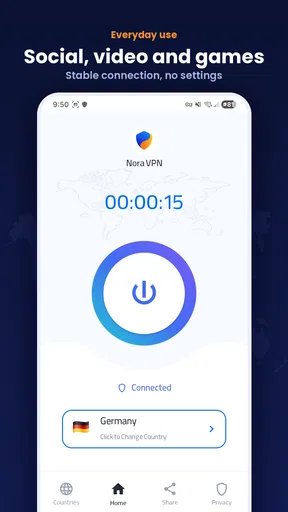
Android’s VPN indicator is a small but valuable user-control cue. When I am switching networks or troubleshooting a page that will not load, I can check whether the VPN is still connected rather than guessing. If I intend to use the app only for a particular session, I would make a habit of checking the indicator afterward and disconnecting when I no longer need the tunnel.
Use it deliberately around sensitive moments
Consider a familiar situation: I am waiting in a café, need to read a public webpage, and do not want to use the venue’s network without extra protection. A simple VPN can be convenient there, provided I understand that it changes the path of my connection rather than making every online action anonymous. I would still use secure sign-in practices and avoid treating the VPN as permission to ignore warnings from a browser or an account service.
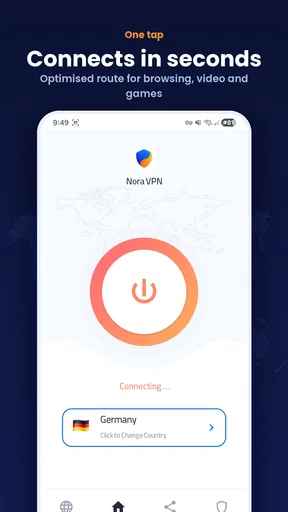
For a more careful workflow, I would connect before opening the app or site I want to use, confirm Android indicates the VPN is active, and then proceed. If a page behaves oddly, I would distinguish between a site issue and a VPN-related routing problem by briefly testing the connection without the VPN, then reconnecting afterward if appropriate. That is a practical troubleshooting step, not a reason to leave protection off indefinitely.
Streaming, gaming, and video calls are different cases. A VPN can add another leg to a connection, so responsiveness may vary even when the service describes its connection as fast. If a call becomes choppy or a game’s latency feels worse, I would test the same task with and without the VPN rather than assuming the app is broken. For latency-sensitive use, a direct connection or a VPN with clearly documented server choices and performance controls may be the better fit.
Where it sits beside other VPN options
Compared with a browser’s private mode, a VPN operates at the device connection level rather than simply changing what the browser keeps locally. Those tools address different concerns: private browsing can limit traces saved in a browser session, while a VPN changes how network traffic is routed. Neither one alone guarantees anonymity, and I would not use either as a stand-in for careful account and device security.
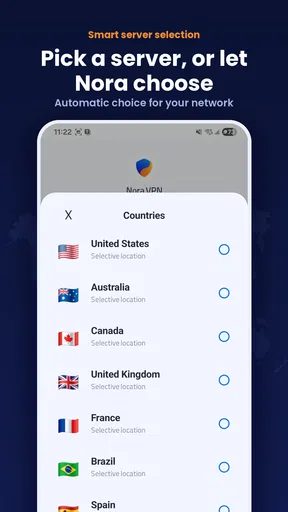
Compared with more configurable VPN services, Nora VPN’s appeal is its low barrier to entry. People who want a quick connection may prefer that simplicity to choosing among technical options. The trade-off is that users who need to make informed decisions about server location, protocol behavior, specialized routing, or business use should look for a service that clearly exposes and explains the controls they need. I would not assume Nora VPN provides a particular advanced feature unless I can see it in the app.
It is also worth separating a VPN from a password manager, antivirus app, or encrypted messaging service. Nora VPN belongs to the first category: its role is network routing, not password storage or protection against every kind of malware. If my main concern is weak passwords, suspicious downloads, or securing messages, I would address those problems with the appropriate tools rather than expecting a VPN to solve them.
Version, compatibility, and the small review footprint
The current release is version 115.0.0, and the stated minimum Android requirement is 7.0. That broad compatibility is useful for people keeping an older Android device in service, though I would still check that the app installs and behaves normally on my own handset. VPN behavior can be affected by Android’s battery management and network settings, so a connection that drops in the background may require checking the device’s own controls.
Irma is the developer, and the app was released on April 4, 2026. It has 22 written reviews alongside its much larger rating count. I would read recent written feedback for practical reports about connection stability or device compatibility, while remembering that individual experiences can depend on network conditions and phone settings. A small number of written comments cannot answer every privacy question, so I would not use reviews as a replacement for examining the app’s own disclosures.
Who I would recommend it to
I would consider Nora VPN if I used Android, wanted a free tool with a low-friction entry point, and needed an occasional VPN connection for ordinary browsing. It is especially convenient for someone who dislikes creating yet another account and is willing to check Android’s connection prompts and indicators. For that kind of user, a simple workflow can be more useful than a crowded interface full of options they will never touch.
I would skip it—or at least compare it carefully with alternatives—if I needed a VPN for highly sensitive work, dependable long sessions, a specific country or server choice, or a clearly documented set of privacy controls. I would also look elsewhere if my priority were minimizing latency for gaming or keeping a video call as stable as possible. In those situations, detailed transparency and the ability to choose and verify a suitable configuration matter more than a quick connection.
My practical recommendation is to install it only if its basic approach matches your needs, then take a moment to inspect what Android asks you to approve and what choices the app makes visible. Try it first with low-stakes browsing, check that the VPN indicator behaves as expected, and see whether your everyday sites still work comfortably. That gives you a grounded sense of fit without treating a successful connection as proof of a particular privacy standard.
A cautious, useful option—not an automatic trust decision
Nora VPN has an understandable place in the Android tools category: it offers a simple route into VPN use and removes account creation from the initial experience. I like that this can make the first step less intimidating. I am less willing to turn simplicity, a free price, or a sizable audience into a claim about the quality of its privacy protections.
For casual use, it may be worth trying with sensible expectations and attention to Android’s visible controls. For sensitive tasks or users who need more technical agency, I would choose a VPN that makes its relevant data practices and configuration options easy to evaluate. The deciding question is not whether Nora VPN is easy to switch on; it is whether the choices and information it presents are enough for the kind of activity you plan to protect.
Pros
- Simple setup makes it approachable for first-time VPN users.
- A VPN connection can help protect traffic on public Wi-Fi.
- Useful for adding a layer of privacy when browsing on shared networks.
- Can help access services that are unavailable on your usual network.
- A straightforward VPN app can be convenient for occasional use.
Cons
- VPN speeds can vary depending on the server and your connection.
- A VPN does not make you completely anonymous online.
- Some websites and streaming services may block VPN connections.
- Using a VPN can increase battery and data usage.
- Review the provider’s privacy policy before sharing sensitive traffic.
FAQs for Nora VPN – Fast & Secure VPN
What is Nora VPN – Fast & Secure VPN, and what does it do?
Nora VPN is a virtual private network app designed to route your internet traffic through a VPN connection. This can help protect traffic on public Wi-Fi and may make your apparent IP address different from your regular one. Its performance and available features can depend on the app version, your network, and the servers offered. A VPN does not make you completely anonymous or protect you from every online threat.
Is Nora VPN free to use, and are there in-app purchases?
Check the app’s current store listing and the purchase details shown inside the app before connecting. VPN services may offer a free tier, a trial, or paid plans, and the terms can change over time. Confirm whether a subscription renews automatically, what it costs after any trial, and how to cancel it. Do not assume that every server or feature is available without payment.
Can I use Nora VPN to access websites or streaming services in other regions?
A VPN may let you connect through servers in different locations, but access to region-specific sites and streaming libraries is not guaranteed. Services can detect and block VPN connections, and their terms may restrict changing regions. Server locations and availability can also vary in Nora VPN. Review the locations shown in the app, and check the relevant service’s rules before relying on a VPN for access.
Does Nora VPN keep my activity private, and is it safe on public Wi-Fi?
A VPN can encrypt the connection between your device and its VPN server, which may reduce exposure to others on the same public Wi-Fi network. Your traffic is then handled by the VPN provider, so privacy depends on Nora VPN’s data practices, security measures, and logging policy. Read its privacy policy and permissions before use. A VPN does not prevent phishing, malware, or tracking by every website.
Why might Nora VPN be slow or fail to connect, and what can I try?
VPN speed can vary with your internet connection, server distance, server load, and the protocol or settings used by the app. If Nora VPN will not connect, try switching networks, choosing another available server, or restarting the app and device. Check for app updates and confirm that your network allows VPN connections. If problems continue, consult the app’s support information; avoid assuming a specific speed or uptime.


